Setting Windows client locale
To set a different locale in Windows use the Control Panel|RegionalOptions dialog:
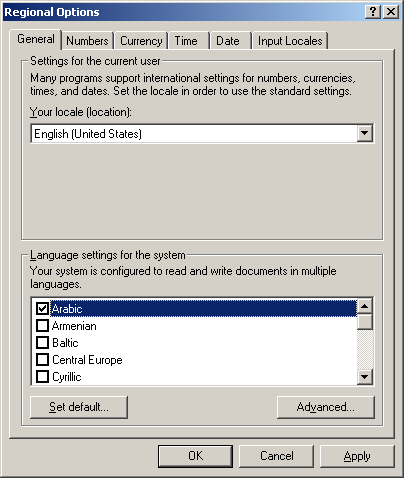
The list box at the top determines the locale to be used for this particular user. Setting this is sufficient to get the right default font for forms and for Kclient to pick up the right dialogs and menus. But for local printing to work you will need to set the system default for the machine which requires clicking the default button in the bottom left and setting the system locale.
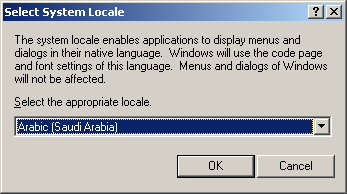
This will require restarting Windows.
Finally you will want to set the keyboard input method using the Input Locales tab on the Regional Options dialog. This allows you to switch between installed input editors on the fly.