Tools Menu - Check Accelerators
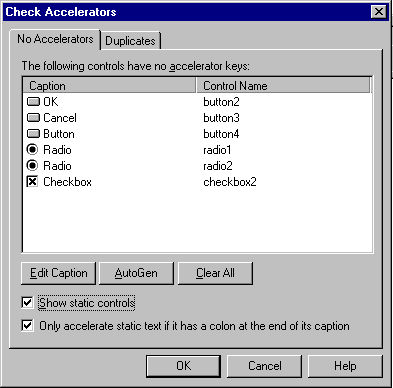
This option is used to provide information about controls that do not have an accelerator key set. Accelerators are added by selecting the control from the list and clicking on the Edit Caption button. Entering an Ampersand (&) in the description will add an accelerator key to that control.
Click on the relevant section of the form to obtain further help.